I have attended two BarCamps in the last 5 months and lots of business cards were exchanged among participants. A common trend was to see some cards littered. Perhaps, the card owners shared too many and gave some out to people who didn’t really need them. Another common thing I noticed was people asking for my Twitter ID. It got me thinking, could Twitter be the new face of business contact? I doubt. Twitter doesn’t share much. I’d rather ask for a domain name instead of a Twitter ID.
I have several business cards I have collected over the years. I have never taken a second glance at many of them. Also, I have hundreds of my own cards, printed & shipped at huge expense but the contact information on them are now out-dated. All the above-stated can only bring me to one conclusion: business cards as we have always known them could soon be on their way out. The new cards will not be cards at all but would be virtual files shared via email, the web or mobiles.
- they exist already in various forms you might have noticed: email signatures, VCF files (vCards), hCards…
- they are easy to maintain: no re-printing orders necessary, just edit and share
- they cost nothing to produce: so long you can type & click
- can be shared with unlimited number of people (thou shalt not spam)
- can be customized to carry much more information than a conventional business card: geolocation co-ordinates, photo, anniversary dates etc
I will share how to create two forms of electronic business cards. They are very simple to implement.
Mobile phones (I’m used to Nokia mobile phones only. Exact settings might vary a bit on other phones)
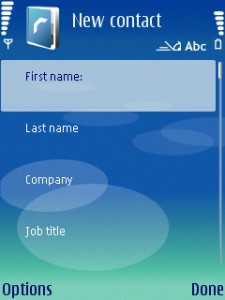
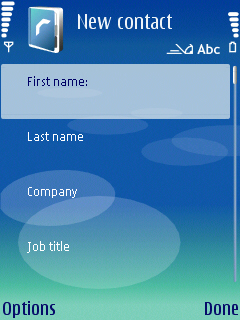
Simply create a contact as you usually would but this time, you are entering your own contact. The following labels (fields) are available on Nokia phones: Title, First Name, Middle Name, Last Name, Suffix, Nickname, Mobile, Telephone, Email, Email, Car phone, Video call, Fax, Pager, Internet phone, SIP, Company, Department, Job Title, Web address, Postal address, Birthday, Anniversary, Notes etc. You can specify which details are for home or business.
I suggest you create two of such contacts files. One for business and the other for personal contacts. That way, you should have people reach you through the most appropriate channel and while you do that, be sure to be sharing only what is absolutely necessary.
The contact details created above can be shared via multiple means. Go to Options under the contact detail and select “Send business card”. Depending on the connectivity options on your phone, you can share via text message (SMS), via multimedia (MMS), via e-mail, via bluetooth, or via good-old infrared. The receiving phone should display the contact detail in the exact format you created it. The receiver can then add your details to the phone address book and can conveniently reach you whenever necessary. Repeat the cycle when your contact details change significantly.
Computers
vCard is the most popular format. It works fine across Windows, Macs and Linux computers and several mobile phones. vCards can be opened by most Address Book software including Nokia Communication Centre, Microsoft Office Outlook, Windows Address Book etc
Creating a vCard varies across platforms and contact software. However, the same principle stated in the mobile section above applies. Matter-of-fact, what Nokia mobile phones create & share are essentially vCard files.
Simply create a Contact containing your own record and export it as a vCard or .VCF file. You can then share it via your personal website, blog, email, or Instant Messenger.
Do you have a different opinion about my suggestions above or want to share your own ideas? Leave your comments here and now.


Leave a Reply