Since this is my first blog post about a BlackBerry (BB), I might as well give a little background into my entry to the BB world.
When I made-up my mind to give BlackBerry smartphones a try, the BlackBerry Bold 9700 was the hottest BB device in the market (July 2010) and so I went for it, although I knew a new BlackBerry (Torch 9800) was imminent. The BlackBerry 9800 was soon launched, and with it, a new and shiny operating system. It is popularly referred to as BB OS 6. It is the 6th major edition of the software that drives all modern BlackBerry devices. The BlackBerry 9800 reviews I read already raised my expectations to dizzying heights for they placed the BlackBerry 9800 at par with the sexy iPhone and battalion of Android smartphones.
As tempting as the BlackBerry Torch 9800 is, I am not eager to buy one; not when I am yet to maximize my investment in this Bold 9700. You can thus imagine my joy, when I learned that an OS 6 upgrade would be available for the Bold 9700.
Exactly two weeks ago today, I got a hint from crackberry.com that a BB OS 6 for 9700 had been leaked on the internet. I hurriedly downloaded the leak to my laptop and read all the instructions that came with the announcements.
I started by backing-up the entire content of my Bold 9700 to my computer, and then installed the new OS 6 from my computer to the BB device. During set-up, I deliberately selected “South Africa” hoping that would grant me access to the coveted BlackBerry App World, but it did not! (BlackBerry users in Ghana do not have access to the app store). In less than 30 minutes, my 9700 was rebooting to the new OS 6. Surprisingly, the booting period was significantly shorter than what I was used to on OS 5. After the reboot, a new introductory video played, highlighting the new features that came with the OS 6.
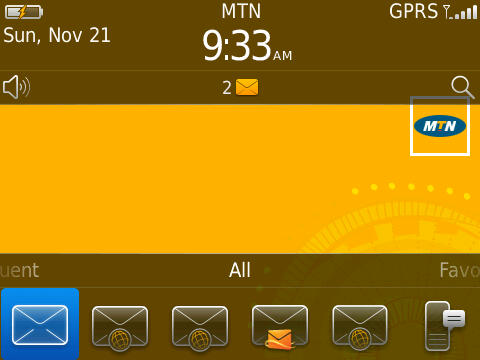
I had thought the OS 6 upgrade would get rid of MTN’s yellow branding from the BB, but it did not.
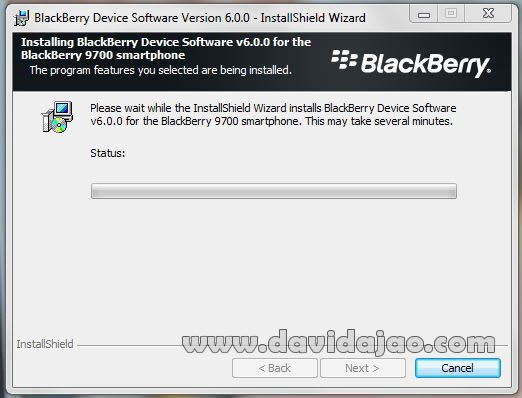
After the reboot, I restored the backup from my computer but left out the third-party apps, due to compatibility issues. Everything appeared to work fine but I soon realized to my horror, that BlackBerry browser wouldn’t work. I realized that in my hurry, I had failed to follow all the recommended upgrade steps carefully. The BB browser worked on my wi-fi networks but wouldn’t work on the cellular network. I thought I could live with the inconvenience but on the 3rd day, I downgraded back to the latest version of OS 5 and restored my latest backup. The downgrade was a stark contrast to the gracious OS 6. Again, I upgraded back to OS 6 and this time, followed all the recommended steps meticulously. All the standard apps worked fine this time.
Compared to the older BB OS versions, the OS 6 is pure bliss. I would highlight a few of impressive new features and some of the little annoyances, in my next blog post.
Its worth adding that this entire blog post was written, edited and published from my BlackBerry.


Leave a Reply